
Build a website with AI and publish it free
Your site, designed by the AI you already use, online in your own free Cloudflare account.
Five steps, all in one app
No code, no hosting to set up and no second tool. Describe it, make it pretty, and put it online with Cloudflare Pages on Cloudflare's free plan.
-
Describe it
Tell your AI what the site is for. It designs every page, with one header and footer and a menu that links them.
-
Make it pretty
Change anything on the canvas, or select a part and ask the AI about just that.
-
Convert to website
Name your site and choose where it lives. From then on it keeps itself up to date as you change the design: real web pages that fit phones and carry the basics search engines look for.
-
Preview
Click through your site in a preview window at phone, tablet or desktop size, before anyone else sees it.
-
Publish
One click puts it online with Cloudflare Pages, in your own free Cloudflare account, and shows you the address. Your own domain works too: Publish connects it, or shows the one DNS record to add if the domain is elsewhere. A dot on Publish tells you when there are changes that aren't online yet.
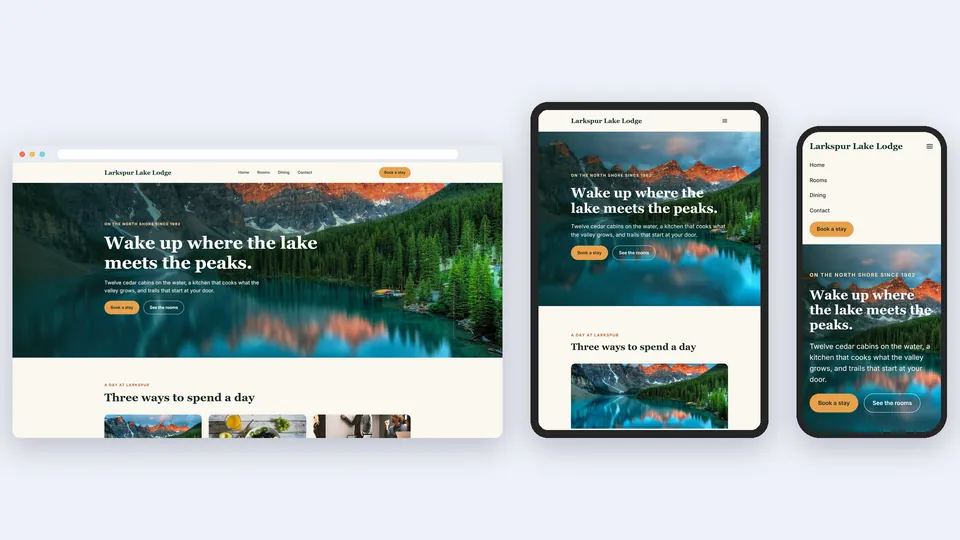
What it looks like in the app
-
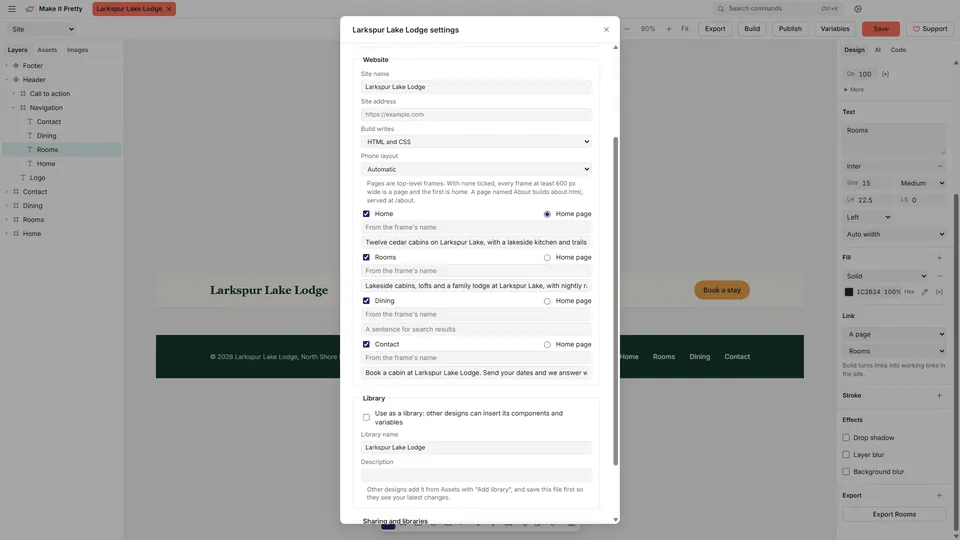
Pages that link
Every page is a frame. Link the menu once and it works on every page.
-
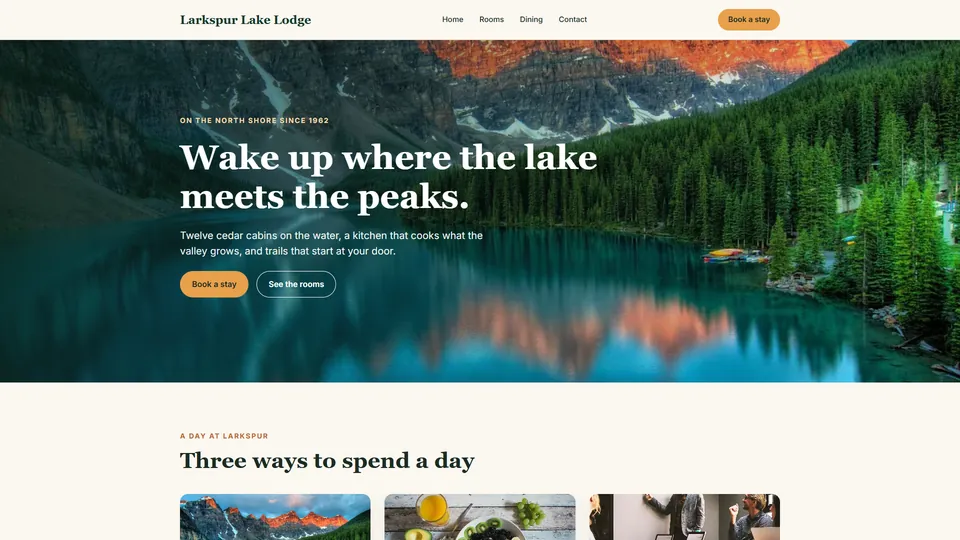
A real website
Each page becomes an HTML page with shared styles and your pictures, ready to open.
-
Fits every screen
Pages stack on phones and tablets and the menu folds behind a button.
-
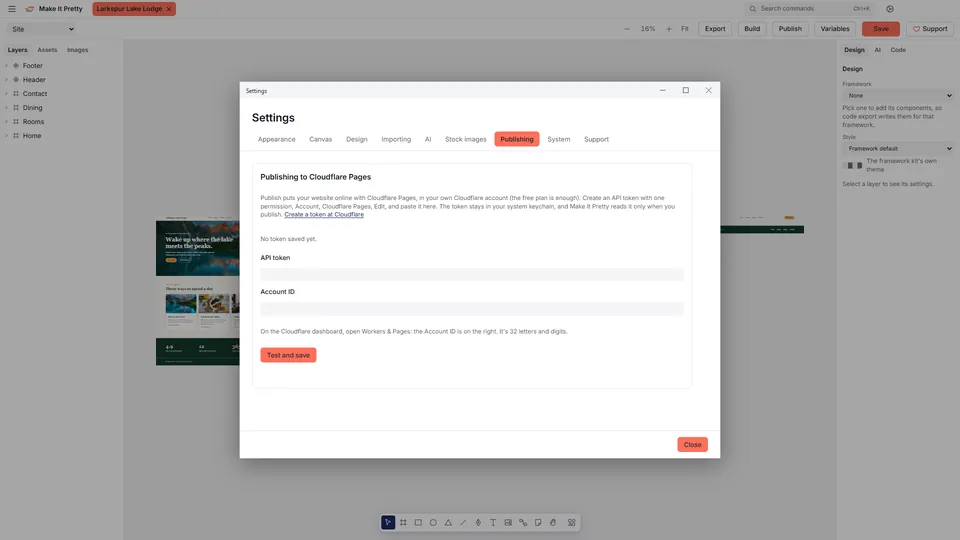
Publish to Cloudflare
Save a token once. Publish puts the site online in your own Cloudflare account.
Questions people ask
- What does it cost?
- Nothing. The app is free, and Cloudflare Pages hosts the site on Cloudflare's free plan in your own account. You use the AI plan you already have.
- Do I need to know how to code?
- No. You describe the site and change it on the canvas. The code is written for you, and it's in your project folder if you or your AI want to open it in a code editor.
- Can I change the site after it's published?
- Yes. Keep designing and the site's files update as you go. A dot on Publish shows when there are changes that aren't online yet, and one click puts them up.
- Can I use my own domain?
- Yes. Your site lives in your own Cloudflare account, so you can add your domain to it there, the same as any Cloudflare Pages site.
Download Make It Pretty™
Free. Version 0.3.1.
Free. Use the AI you already pay for. Donations keep it going. Chip in
Windows
Windows 10 or 11, 64-bit. Installs for your user, no admin rights needed.
Download for WindowsUsing Claude Desktop? Get the extension for Windows, Apple silicon or Intel Mac.
All files and release notes are on GitHub.