
What Make It Pretty™ does
A full design tool, free for Windows and Mac. Pick an area to see what it does.
Design
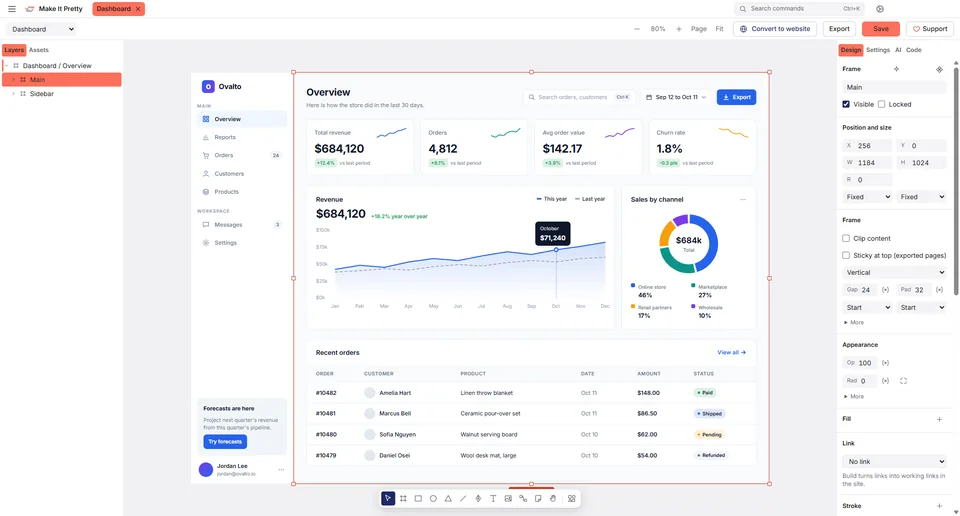
Everything you expect on a canvas, plus real photos and your brand's look.
-
Components and variables
Reusable components with overrides, and color, number and text variables with light and dark modes.
-
Auto layout
Rows, columns and wrapping with gap, padding, alignment and hug or fill sizing.
-
Styled text and lists
Bold, italic and underline on the words you select, and bulleted or numbered lists that websites build as real lists.
-
Pictures from anywhere
One image button: a file from your computer, free photos from Pixabay and Pexels, or a picture generated with AI.
-
Pick anything, however deep
Hover shows exactly what's under the pointer. Double-click goes straight to it and edits text in place, and the layers list follows you.
-
Pen tool and vectors
Draw paths with curve handles, then edit them point by point. Connectors and sticky notes too.
-
Templates and style guides
Start from a landing page, dashboard, mobile app, slide deck or social set, or add a ready style guide. There are three: Editorial, Voltage and Graphite.
-
Icons
Search the full Lucide icon set and drop icons in as editable vectors.
-
Slides
Build a deck on the canvas and present it full screen.
-
Shader fills and script layers
Shader fills such as aurora, grain gradients and halftone, and script layers that draw charts, clocks and gauges from data.
-
Snapping and guides
Moving, resizing and drawing snap to nearby edges and centers with guides, plus an optional pixel grid.
-
Your brand, set up once
Make a style from your brand color and fonts, or a client's. Every color pair is checked for readable contrast, and every new design can start on-brand.
-
Logos that stay sharp
Add your logo as SVG and it drops into templates as real vector layers, with versions for light and dark backgrounds.
-
Real photos and illustrations
Search free photos from Pixabay and Pexels, and Pixabay's illustrations and vectors, from the canvas, with no image cap. Pick one and it lands fitted to the frame, with its credit on the layer. Your AI does the same.
-
Pictures made by AI
Describe a picture and generate it with your own OpenAI key, choosing the model, size and quality. Right-click any picture to generate a new one or swap in a stock photo, and tell the AI which it should reach for first.
AI
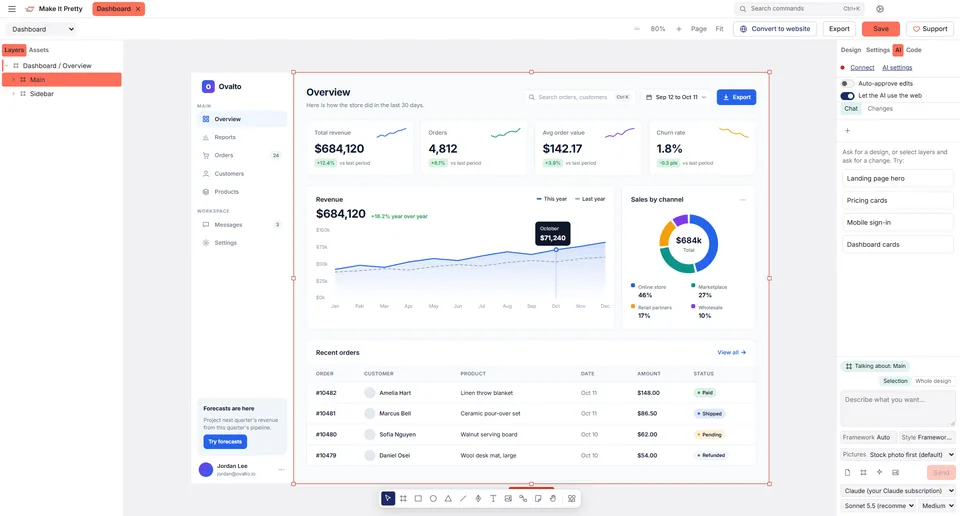
Use the AI plan you already pay for, inside the app or from your coding agent. How the AI works.
-
Talk about one thing
Select a layer and the AI chat is about that layer. One click switches back to the whole design.
-
An AI that can code the site
With a project folder, the built-in AI reads and writes the site's files and runs commands there, asking first. It stays inside the folder unless you say otherwise.
-
AI changes you approve
Edits from any AI are outlined on the canvas until you accept them, and the Changes list shows each one. The list is saved with the design, so it's still there after you close the app.
-
See the AI work
A live status line shows what the AI is doing and for how long, with a Stop button. When Claude Code or another tool edits, a badge says so and the changed layers light up.
-
Auto-approve when you trust it
Let a connected AI change your designs without asking each time. Turn it off again whenever you like.
-
AI that reads websites
Give the AI a web address and it reads the page and can reuse its pictures. Point it at your current site and ask for a fresh design.
-
A Claude Desktop extension
Install Make It Pretty™ into Claude Desktop with a double-click. Claude Desktop lists David Soden as the developer.
Websites
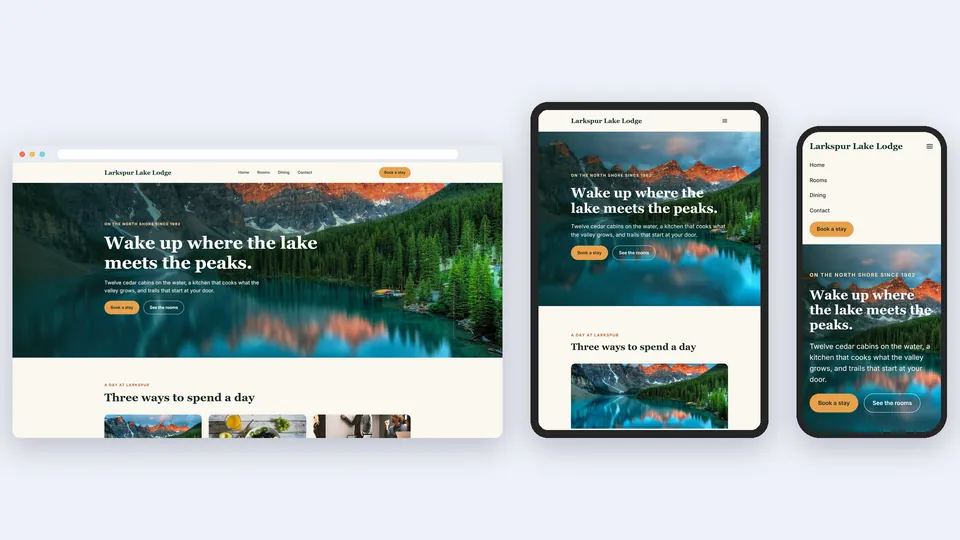
Design a site, preview it and publish it free to your own Cloudflare account. How websites work.
-
Whole websites, not just pages
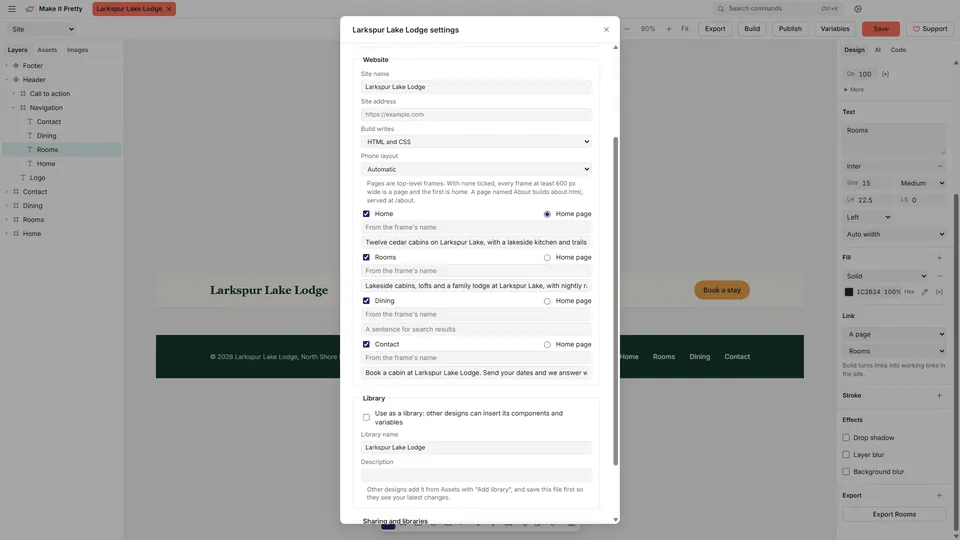
Ask for a website and the AI makes every page with one shared header and footer. Link any layer to a page, a section or a web address.
-
Convert a design to a website
Name the site and pick a folder. Each page-sized frame becomes a page, menu items link to their pages, and the site updates itself as you design. Open the folder in a code editor any time.
-
Preview before you publish
See the site in its own window at phone, tablet or desktop size, with working menus. It refreshes as you edit.
-
Publish in one click
Publish puts the site online with Cloudflare Pages in your own account, on the free plan, and marks when there are changes to publish. Give the site your own address and Publish connects that domain too, creating its DNS record when the domain is in your Cloudflare account. Your token stays in your system keychain, and you can take the site offline from the same window.
-
Looks right on a phone
Built and exported pages stack on phones and tablets, and the menu folds behind a button. Nothing to redraw.
-
Search basics built in
Each page gets its own title, description and main heading, pictures get alt text, and the site gets a sitemap. It tells you in plain words what to fix.
-
Menus that stay put
Mark a nav bar Sticky at top, or let Make It Pretty™ spot it, and it stays in view as visitors scroll, with a soft shadow.
Looks
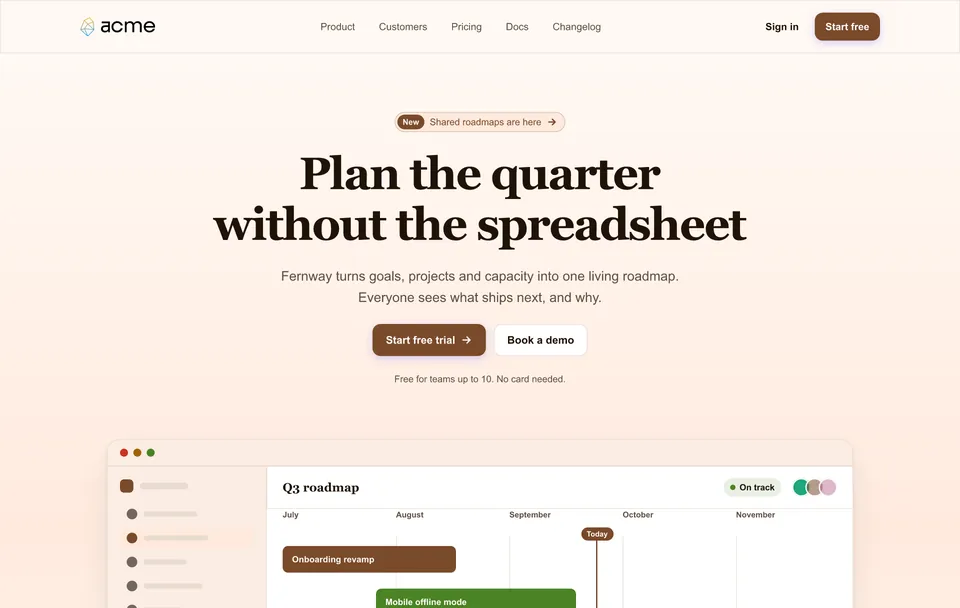
Build with shadcn/ui, daisyUI, MUI, Ant Design, HeroUI, Fluent 2, Carbon or Bootstrap 5, and dress it in a style guide or your own brand.
-
Eight UI frameworks
shadcn/ui, daisyUI, Material (MUI), Ant Design, HeroUI, Fluent 2, Carbon and Bootstrap 5, with code that uses the framework's own components. Pick one by the prompt, or let Auto choose.
-
Three style guides
Editorial, Voltage and Graphite give any design a ready set of colors, type, corners and spacing.
-
Unlimited custom styles
Make a style for your brand or each client's from a color, fonts, corners and your logo. Light and dark are worked out for you, every text color is checked for contrast, and you can make one the default for new designs.
Code and export
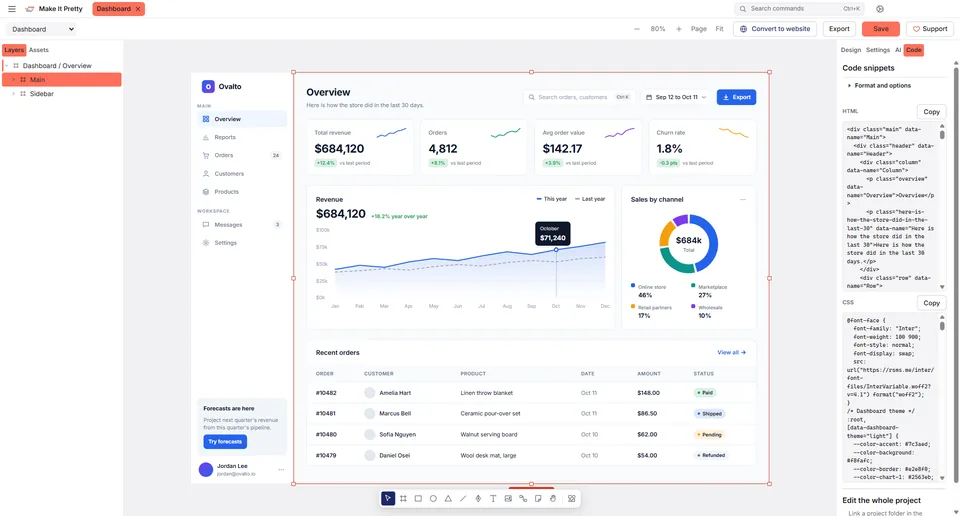
Take away real code, or export pictures and PDFs that match the canvas.
-
Files that diff
.mkip files are plain text with one layer per line, so a design change reads like a code change in git.
-
Exports that match the design
HTML, Tailwind and React lay out like your canvas. Full-width pages stay full width, with the content centered the way you drew it.
-
HTML, Tailwind or React
Select any frame and the Code tab writes it as HTML with CSS, HTML with Tailwind, or a React component, with your colors and sizes as CSS variables or a Tailwind theme.
Your files
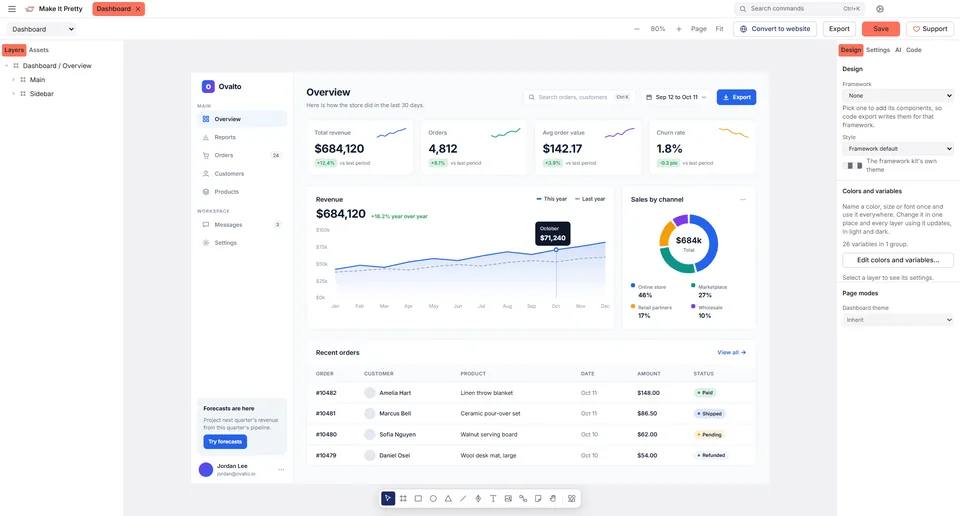
Open the work you already have, then keep going with any AI you like.
-
From Figma
Open .fig files directly, paste frames copied in Figma, or import a file through the Figma API. Layers, text, components and pictures come across.
-
From pen.dev
Open .pen files with pen.dev installed on the same computer. Make It Pretty™ reads them through pen.dev's own app.
-
SVG and pictures
Drop in SVG, PNG, JPEG and WebP. SVG becomes editable vector paths.
-
Review before you save
The Unsaved tab lists every change since you last saved. See how any part looked before, or undo one change and the changes that depend on it.
-
Your files stay yours
Designs are plain text files on your computer, so they open anywhere, back up anywhere and show changes in git.
The app
Small things that make it pleasant to use every day.
-
Your choices stick
The framework and style you pick by the prompt are binding. The AI builds with them and can't swap them out behind your back.
-
Panels your size
Drag the edge of either side panel to make room, and it remembers your widths.
-
Saved, and you know it
A short confirmation shows each time your design is written to disk.
-
What's new, after every update
Skipped a few versions? The update window and What's new list every release since the one you had, newest first. Open it again any time from Help.
-
Tabs, like a browser
Every design opens as a tab. Drag tabs into the order you like, tear one out for a second monitor, and your tabs come back the next time you start.
-
Search every command
Press Ctrl+K (Cmd+K on a Mac) and type what you want to do. No hunting through menus.
-
Made for the keyboard
Shortcuts for the tools you use most, a sheet that lists them all, and every menu and panel reachable without a mouse.
-
Private by default
No account and no telemetry. Your designs stay on your computer until you choose to publish a site.
-
Updates on your terms
Make It Pretty™ checks every hour, or as often as you choose. Let it ask you with the release notes, or install updates by itself when you're not working. Each one is checked against its signature first.
Download Make It Pretty™
Free. Version 0.3.1.
Free. Use the AI you already pay for. Donations keep it going. Chip in
Windows
Windows 10 or 11, 64-bit. Installs for your user, no admin rights needed.
Download for WindowsUsing Claude Desktop? Get the extension for Windows, Apple silicon or Intel Mac.
All files and release notes are on GitHub.